 Sign in with Apple in a Rails app
Get Apple API keys #
First of all, you need to create an Apple Developer account. It costs $99/year. Greedy bastards!
-
Create an app ID. Check “Sign in with Apple”; no need to click “Edit”.
Identifiercan be anything, but normally the reverse of your domain likecom.superails. -
Create a service ID.
Identifiercan be anything, but normally the reverse of your domain likecom.superails.auth. Check “Sign in with Apple”; click “Configure”.
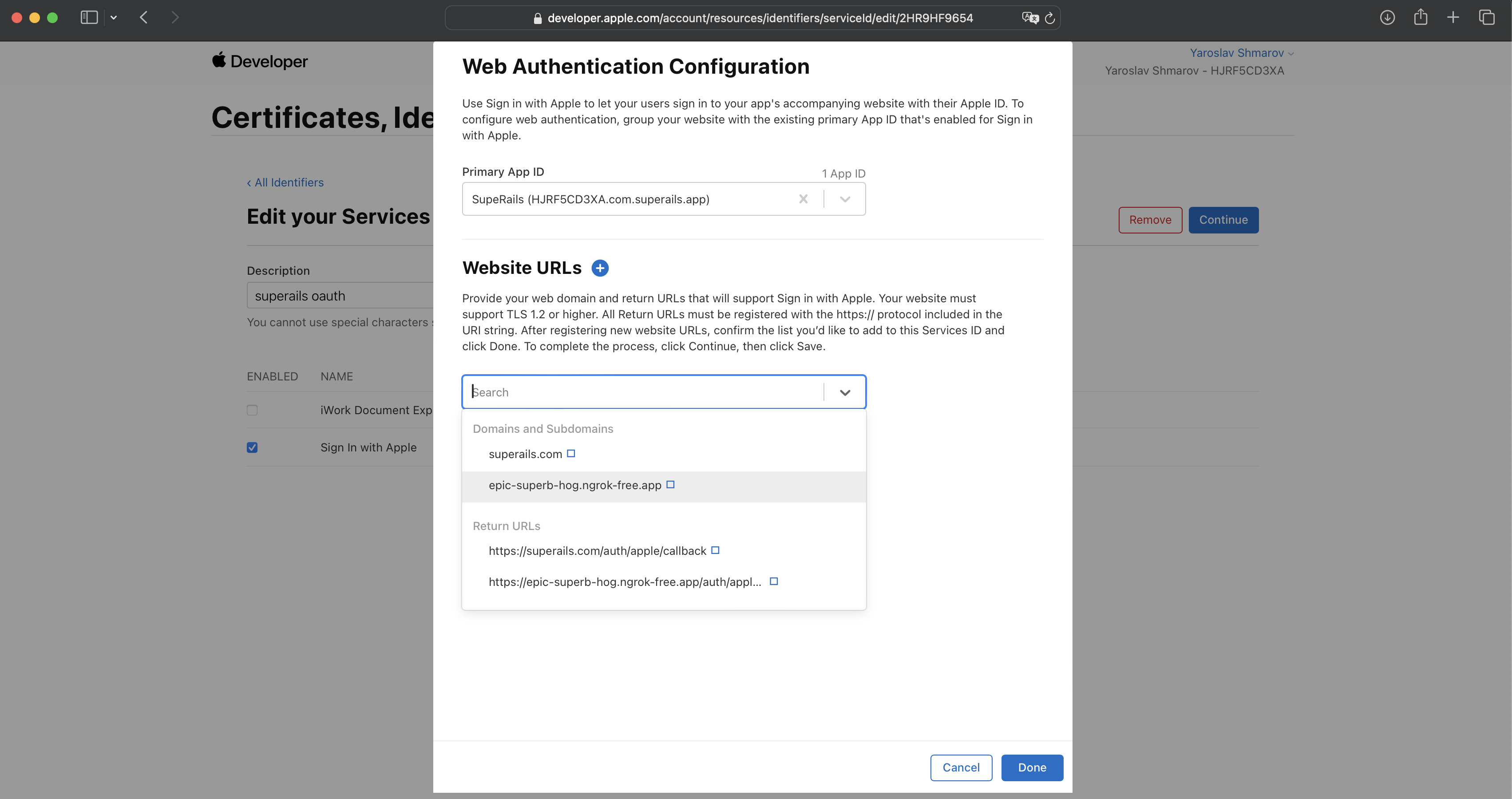
You will now have access to these oAuth credentials:
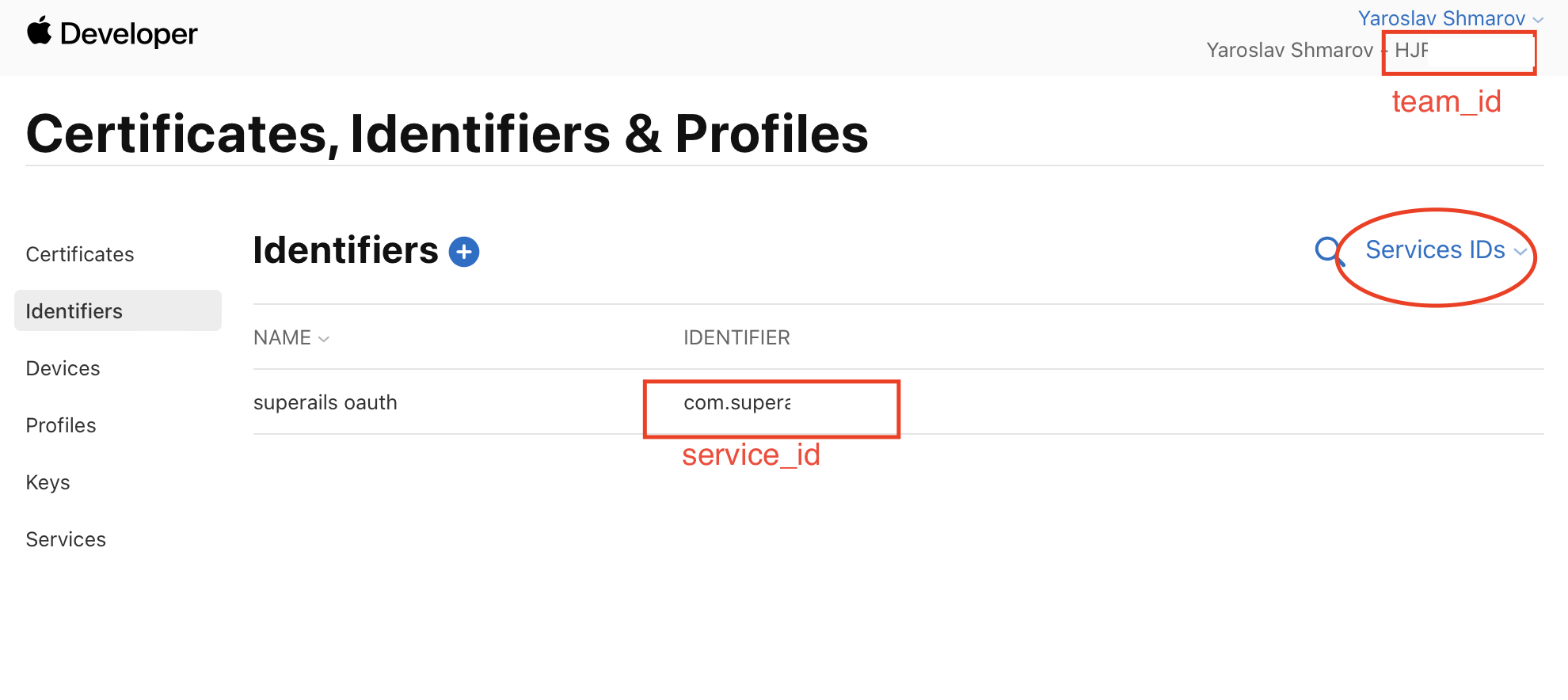
Btw, Apple oAuth will not work on localhost, so I added a Ngrok URL for development purposes.
-
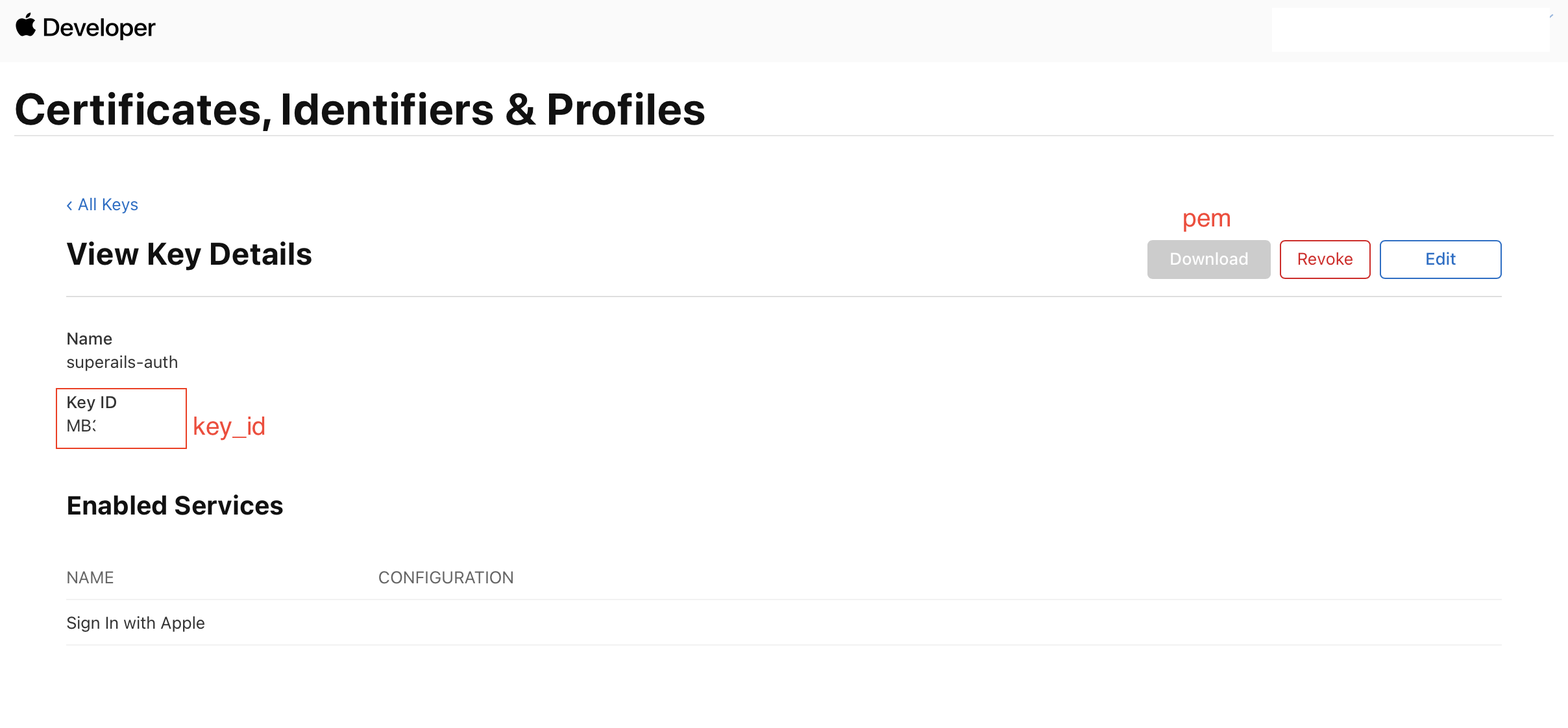
Create a key ID. Check “Sign in with Apple”. You will be able to download the
pemsecret key.
oAuth in your Rails app #
Install the gem omniauth-apple
# Gemfile
gem 'omniauth-rails_csrf_protection'
gem 'omniauth-apple'
Add a callback route. Apple login goes via POST, not GET, so you need both:
# config/routes.rb
get 'auth/apple/callback', to: 'sessions#create'
post 'auth/apple/callback', to: 'sessions#create'
button_to 'Login with Apple', '/auth/apple'
Why Apple OAuth needs special handling #
Apple uses response_mode: form_post — after authentication, Apple redirects the user’s browser to POST to your callback URL. This cross-site POST from appleid.apple.com causes two problems:
-
Session cookies are not sent. Browsers enforce
SameSite=Laxby default, which blocks cookies on cross-site POST requests. This means any values stored in the session during the request phase (state, nonce) are unavailable during the callback. -
Rails CSRF protection rejects the request. Rails checks the
Originheader and seeshttps://appleid.apple.cominstead of your domain, raisingActionController::InvalidAuthenticityToken.
Configuration #
You need three things to handle this:
-
provider_ignores_state: true— skips the state parameter comparison (which would fail because the session-stored state is lost). -
Skip nonce verification — the nonce is also stored in the session and lost on callback. Override
verify_nonce!to skip it. Theid_tokenis still verified by JWK signature, audience, issuer, and expiration claims. -
skip_before_action :verify_authenticity_token— skip Rails CSRF check for the callback action.
# config/initializers/omniauth.rb
require 'omniauth-apple'

# Apple's form_post response_mode sends a cross-site POST that does not carry
# session cookies (SameSite=Lax), so the session-stored nonce is lost.
# Skip nonce verification — the id_token is still verified by signature,
# audience, issuer, and expiration claims.
OmniAuth::Strategies::Apple.class_eval do
  private

  def verify_nonce!(_id_token) = nil
end

Rails.application.config.middleware.use OmniAuth::Builder do
  provider :apple,
           Rails.application.credentials.dig(:apple, :client_id),
           '',
           scope: 'email name',
           team_id: Rails.application.credentials.dig(:apple, :team_id),
           key_id: Rails.application.credentials.dig(:apple, :key_id),
           pem: Rails.application.credentials.dig(:apple, :pem),
           authorized_client_ids: [Rails.application.credentials.dig(:apple, :client_id)],
           provider_ignores_state: true
end
Inside credentials.yml it can look more-less like this:
# credentials.yml
apple:
  client_id: com.example.auth
  team_id: teamid
  key_id: keyid
  pem: |
    -----BEGIN PRIVATE KEY-----
    foobarfoobarfoobarfoobarfoobar
    foobarfoobarfoobarfoobarfoobar
    foobarfoobarfoobarfoobarfoobar
    foobarfoobarfoobarfoobarfoobar
    -----END PRIVATE KEY-----
The client_id is your Services ID (e.g. com.example.auth), not the App ID. The pem must be a YAML multiline string (use |) with real newlines — not escaped \n.
Now when you click the “Sign in” button, everything should work and your app should receive a callback request to sessions#create.
Here’s my SessionsController.
skip_before_action :verify_authenticity_token, only: :create is required because Apple’s cross-site POST carries Origin: https://appleid.apple.com, which Rails rejects.
Everything else is applicable for any other oAuth strategy.
# app/controllers/sessions_controller.rb
class SessionsController < ApplicationController
  skip_before_action :verify_authenticity_token, only: :create

  def create
    @user = User.from_omniauth(request.env['omniauth.auth'])
    if @user.persisted?
      sign_in(@user)

      redirect_path = request.env['omniauth.origin'] || user_path(@user)
      redirect_to redirect_path, notice: t('sessions.success', name: @user.name)
    else
      redirect_to root_url, alert: t('sessions.failure')
    end
  end

  def destroy
    sign_out
    redirect_to root_path, notice: t('sessions.destroy')
  end

  def failure
    redirect_to root_path, alert: t('sessions.failure')
  end

  private

  def sign_in(user)
    Current.user = user
    reset_session
    cookies.encrypted.permanent[:user_id] = user.id
  end

  def sign_out
    Current.user = nil
    reset_session
    cookies.delete(:user_id)
  end
end
You can see how I implemented the from_omniauth method here.
Common errors and what causes them #
| Error | Cause |
|---|---|
undefined method 'bytesize' for nil |
Missing provider_ignores_state: true. The omniauth-oauth2 gem calls secure_compare on the session state, which is nil because session cookies are not sent with Apple’s cross-site POST. |
invalid_credentials |
Nonce verification failing. The nonce is stored in the session during the request phase but lost during Apple’s POST callback. Fix by overriding verify_nonce!. |
ActionController::InvalidAuthenticityToken |
Rails CSRF protection rejects the POST because Origin: https://appleid.apple.com doesn’t match your domain. Fix with skip_before_action :verify_authenticity_token. |
That’s it! You can try to see how “Sign in with Apple” works on this website.
Did you like this article? Did it save you some time?