---
title: "#3 Turbo: Keep the audio playing after changing the page with data-turbo-permanent"
author: "Yaroslav Shmarov"
date: "2021-10-06"
canonical_url: "https://blog.superails.com/turbo-play-audio-across-pages"
markdown_url: "https://blog.superails.com/turbo-play-audio-across-pages.md"
description: "Task: when you switch the page the audio should be still playing like here https://www.rework.fm/ obviously you should store the audio partial in a layout file…"
tags: ["ruby","rails","ruby-on-rails","hotwire","turbo","audio","mp3","turbo-drive"]
license: "GNU AGPL v3. Credit Yaroslav Shmarov and link the canonical URL."
video_url: "https://www.youtube.com/watch?v=uw8FHVjXnSE"
---
# #3 Turbo: Keep the audio playing after changing the page with data-turbo-permanent
Task: when you switch the page the audio should be still playing like here [https://www.rework.fm/](https://www.rework.fm/)

* obviously you should store the audio partial in a layout file that is shared across pages:
#app/views/layouts/application.html.erb
```ruby
<%= render 'shared/audio' %>
```
* just wrap it into a `div` with an `id` and `data-turbo-permanent`
```html
<%= audio_tag 'sample-audio-15s', controls: true %>
<%= video_tag 'sample-video-5s', controls: true, width: '500px' %>
```
In this case `song.mp3` is sourced from `#app/assets/images/song.mp3`
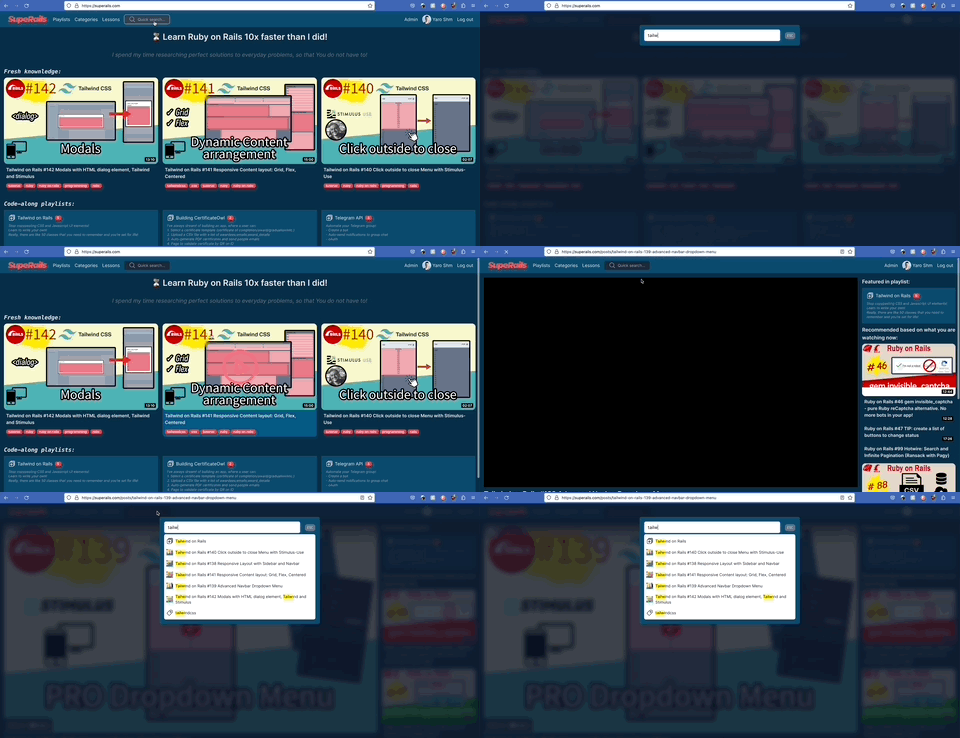
Another example of using `data-turbo-permanent` on [superails.com](https://superails.com) - search form and results are persisted across pages:
#### Bonus: Open video picture-in-picture when navigating to another page
```html
<%= link_to 'Home', root_path, onclick: 'pictureOpen()' %>
<%= video_tag 'sample-video-5s', controls: true, width: '500px' %>
```
Resources:
* [Hotwire Turbo Docs: Persisting Elements Across Page Loads](https://turbo.hotwired.dev/handbook/building#persisting-elements-across-page-loads)
* [https://github.com/hotwired/turbo/issues/64](https://github.com/hotwired/turbo/issues/64)
* [https://github.com/hotwired/turbo/issues/221](https://github.com/hotwired/turbo/issues/221)