---
title: "Highlight @ mentions, convert # hashtags to links"
author: "Yaroslav Shmarov"
date: "2022-10-25"
canonical_url: "https://blog.superails.com/search-by-hashtags-or-mentions"
markdown_url: "https://blog.superails.com/search-by-hashtags-or-mentions.md"
description: "Recently I've been building insta2blog.com{:target=\"blank\"}, where you can convert your instagram page into a blog."
tags: ["ruby","rails","ruby-on-rails"]
license: "GNU AGPL v3. Credit Yaroslav Shmarov and link the canonical URL."
---
# Highlight @ mentions, convert # hashtags to links
Recently I've been building [insta2blog.com](https://insta2blog.com){:target="blank"}, where you can convert your instagram page into a blog.
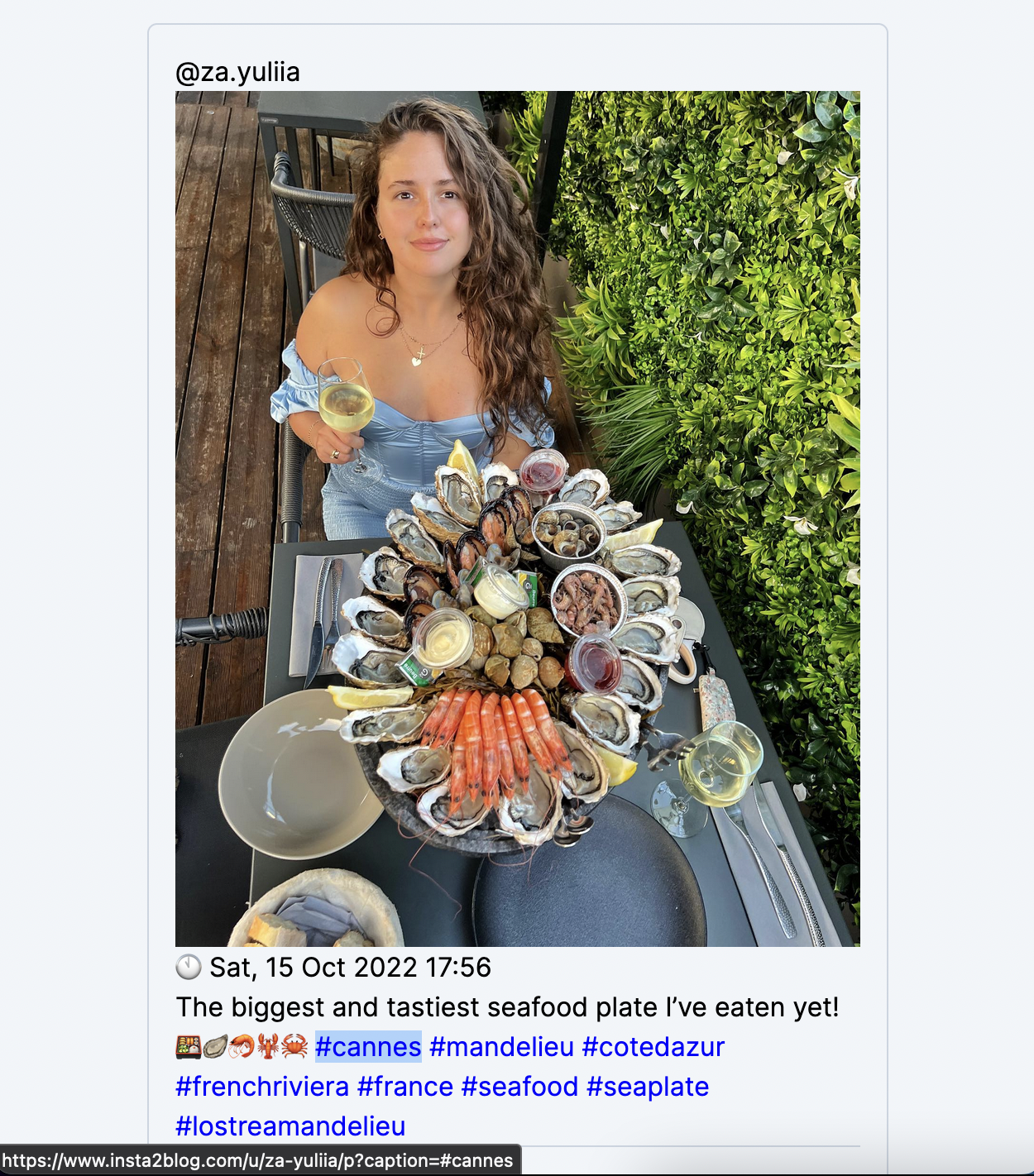
An interesting challenge was receiving a raw text from Instagram Basic Display API, and scanning it for mentions and hashtags, and converting hashtags into URLs:
### Highlight mentions
The below regex searches for words starting with `@` and replaces these words with themselves wrapped into some html:
```ruby
# app/helpers/application_helper.rb
def with_mentions(text)
return nil if text.blank?
text.gsub!(/\S*@(\[[^\]]+\]|\S+)/, '\1')
end
text = '@yaro is the coolest #ruby programmer in #europe'
with_mentions(text)
# => "yaro is the coolest #ruby programmer in #europe"
```
### Convert hashtags into links
You could try doing it in a simple way as above, but the below approach will give you much more control over the result.
So I will pass the `Post` record, scan the the `Post.body` for `#`, replace each hashtagged word with a link.
If you use the below method in a Rails helper, you won't need `ActionController::Base.helpers`, `Rails.application.routes.url_helpers`, `onlypath: true`. I've added them so that you can use it in the console.
```ruby
# app/helpers/application_helper.rb
# delegate :link_to, to: 'ActionController::Base.helpers'
# delegate :posts_path, to: 'Rails.application.routes.url_helpers'
include Rails.application.routes.url_helpers
def with_hashtags(text)
return nil if text.blank?
hashtags = text.scan(/#\w+/)
hashtags.flatten.each do |hashtag|
hashtag_link =
ActionController::Base.helpers.link_to hashtag, posts_path(caption: hashtag, onlypath: true), class: 'hashtag'
text.gsub!(hashtag, hashtag_link)
end
text
end
text = "Втікаю в вихідні 💙 #cannes #cotedazur #frenchriviera #france #friday"
with_hashtags(text)
# => "Втікаю в вихідні 💙 #cannes #cotedazur #frenchriviera #france #friday"
```
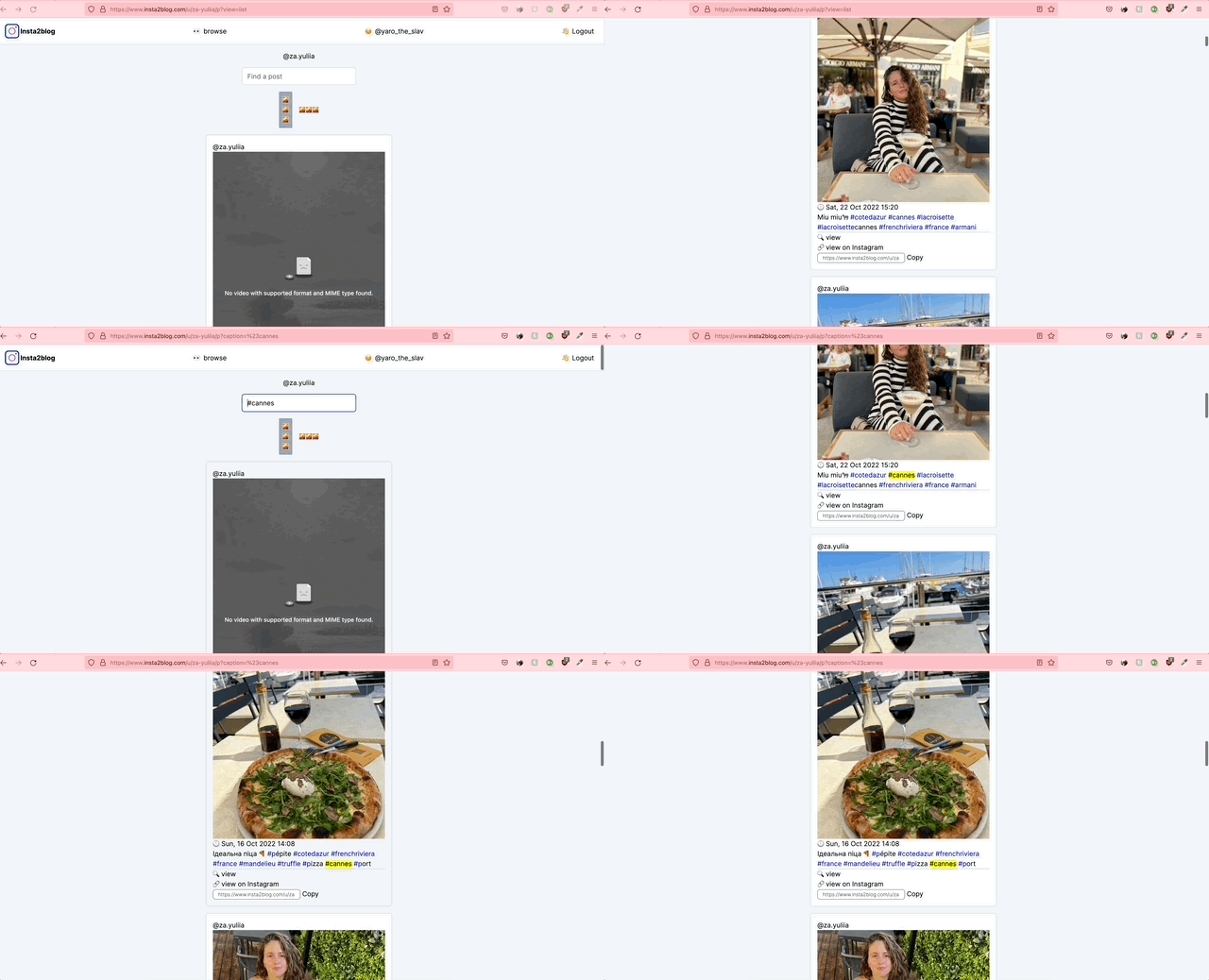
Here's the final result in my case: click hashtag -> refresh page with this hashtag in the search bar (search by hashtag):
P.S. here is [the pull request](https://github.com/yshmarov/insta2blog.com/pull/49/files){:target="blank"} where I added this functionality to the app.