---
title: "Install Bootstrap 5 with Ruby on Rails 6+. Yarn, Webpack. Popovers, Tooltips. StimulusJS"
author: "Yaroslav Shmarov"
date: "2021-04-26"
canonical_url: "https://blog.superails.com/rails-bootstrap-5-yarn"
markdown_url: "https://blog.superails.com/rails-bootstrap-5-yarn.md"
description: "console application.html.erb app/javascript/packs/application.js Serve all your stylesheets via webpacker. Keep styles inside the /javascript folder."
tags: ["ruby","rails","ruby-on-rails","bootstrap","webpack","yarn","stimulus"]
license: "GNU AGPL v3. Credit Yaroslav Shmarov and link the canonical URL."
---
# Install Bootstrap 5 with Ruby on Rails 6+. Yarn, Webpack. Popovers, Tooltips. StimulusJS
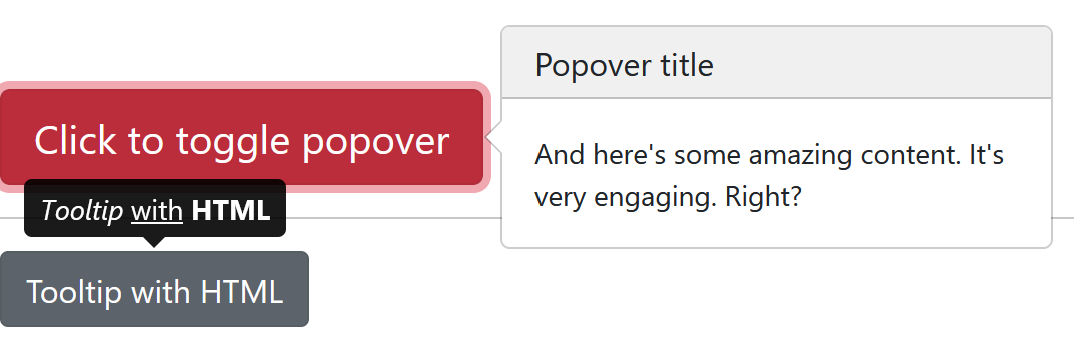
## Important: use `@popperjs/core`, not `popper.js`
## Option 1
console
```sh
yarn add bootstrap
yarn add @popperjs/core
mkdir app/javascript/stylesheets
echo > app/javascript/stylesheets/application.scss
```
application.html.erb
```html
<%= stylesheet_pack_tag 'application', media: 'all', 'data-turbolinks-track':
'reload' %>
```
app/javascript/packs/application.js
```js
import "bootstrap/dist/js/bootstrap";
import "bootstrap/dist/css/bootstrap";
import "stylesheets/application";
```
Serve all your stylesheets via webpacker. Keep styles inside the /javascript folder.
Example:
/superdemo/app/javascript/stylesheets/application.scss
```css
body {
background-color: #ede3d5;
}
```
## Option 2
app/views/layouts/application.html.erb
```html
<%= stylesheet_pack_tag 'application', media: 'all', 'data-turbolinks-track':
'reload' %>
```
app/javascript/packs/application.js
```js
import "bootstrap";
import "../stylesheets/application";
```
/superdemo/app/javascript/stylesheets/application.scss
```
@import "bootstrap";
```
## Option 3
app/views/layouts/application.html.erb
```html
<%= stylesheet_pack_tag 'application', media: 'all', 'data-turbolinks-track':
'reload' %>
```
app/javascript/packs/application.js
```js
import * as bootstrap from "bootstrap";
import "../stylesheets/application";
```
app/javascript/stylesheets/application.scss
```css
@import "bootstrap";
```
## Bonus: Remove jQuery (needed for B4 but not B5)
console
```sh
yarn remove jquery popper.js
```
environment.js - leave only this:
```js
const { environment } = require("@rails/webpacker");
module.exports = environment;
```
## 24 October 2021 UPDATE. 01. Basic installation
console
```sh
yarn add bootstrap
yarn add @popperjs/core
mkdir app/javascript/stylesheets/
cd app/javascript/stylesheets/
touch application.scss
```
app/javascript/stylesheets/application.scss
```
@import "bootstrap"
```
app/views/layouts/application.html.erb
```diff
<%= stylesheet_link_tag 'application', media: 'all', 'data-turbolinks-track': 'reload' %>
<%= javascript_pack_tag 'application', 'data-turbolinks-track': 'reload' %>
++ <%= stylesheet_pack_tag 'application', media: 'all', 'data-turbolinks-track': 'reload' %>
```
app/javascript/packs/application.js
```diff
import Rails from "@rails/ujs"
import Turbolinks from "turbolinks"
import * as ActiveStorage from "@rails/activestorage"
import "channels"
++ import * as bootstrap from 'bootstrap'
++ import "../stylesheets/application"
Rails.start()
Turbolinks.start()
ActiveStorage.start()
```
## 24 October 2021 UPDATE. 02. Popovers and Tooltips with StimulusJS
First, [install stimulus](https://blog.superails.com/installl-stimulus-rails)
Next, create controllers:
```sh
touch app/javascript/controllers/popover_controller.js
touch app/javascript/controllers/tooltip_controller.js
```
app/javascript/controllers/tooltip_controller.js
```js
import * as bootstrap from "bootstrap";
import { Controller } from "stimulus";
export default class extends Controller {
connect() {
var tooltipTriggerList = [].slice.call(
document.querySelectorAll('[data-bs-toggle="tooltip"]')
);
var tooltipList = tooltipTriggerList.map(function (tooltipTriggerEl) {
return new bootstrap.Tooltip(tooltipTriggerEl);
});
}
}
```
app/javascript/controllers/popover_controller.js
```js
import * as bootstrap from "bootstrap";
import { Controller } from "stimulus";
export default class extends Controller {
connect() {
var popoverTriggerList = [].slice.call(
document.querySelectorAll('[data-bs-toggle="popover"]')
);
var popoverList = popoverTriggerList.map(function (popoverTriggerEl) {
return new bootstrap.Popover(popoverTriggerEl);
});
}
}
```
Now, initialize the controllers in an HTML file where you will be including a tooltip or popover:
```html
Anything
Anything
```
Feel free to add HTML for a [Tooltip](https://getbootstrap.com/docs/5.1/components/tooltips/) or [Popover](https://getbootstrap.com/docs/5.1/components/popovers/). Should work!
## That's it!