---
title: "Hotwire Turbo Frames: Hovercards"
author: "Yaroslav Shmarov"
date: "2022-04-03"
canonical_url: "https://blog.superails.com/hotwire-hovercards"
markdown_url: "https://blog.superails.com/hotwire-hovercards.md"
description: "Let's make github-styled hovercards/tooltips that load content only when you hover on an element, using lazy-loaded turbo frames and a bit of CSS: hoverContent…"
tags: ["ruby","hotwire"]
license: "GNU AGPL v3. Credit Yaroslav Shmarov and link the canonical URL."
video_url: "https://www.youtube.com/watch?v=_T6uOL9L7NM"
---
# Hotwire Turbo Frames: Hovercards
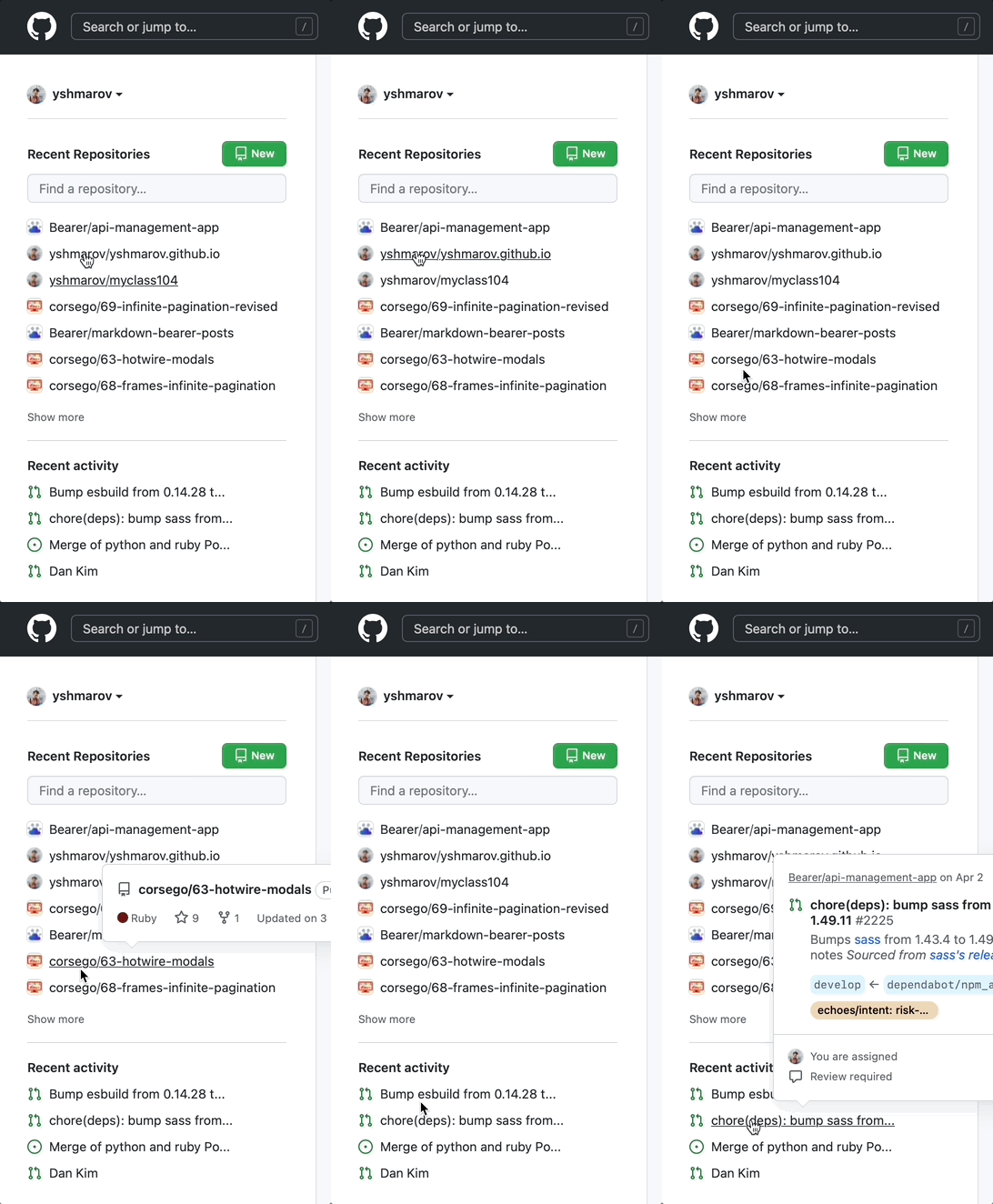
Let's make github-styled hovercards/tooltips that load content **only** when you hover on an element, using lazy-loaded turbo frames and a bit of CSS:
### 1. Initial setup
```ruby
# config/seeds.rb
3.times do
Person.create(name: Faker::Name.first_name,
surname: Faker::Name.last_name,
address: Faker::Address.full_address,
phone: Faker::PhoneNumber.cell_phone)
end
```
```sh
bundle add faker
rails g scaffold person name surname address phone
rails db:migrate
rails db:seed
```
### 2. CSS: display hidden area on `hover`
```css
/* app/assets/stylesheets/application.css */
.hoverWrapper #hoverContent {
display: none;
position: absolute;
background-color: black;
color: white;
padding: 10px;
border-radius: 4px
}
.hoverWrapper:hover #hoverContent {
display: block;
}
```
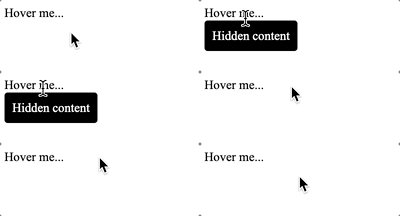
`hoverContent` is hidden by default.
`hoverContent` is visible when hovering `hoverWrapper`.
```html
Hover me...
Hidden content
```
How it works:
### 3. Lazy-Loaded Turbo Streams
Add a route for the hovercard
```ruby
# config/routes.rb
root to: redirect("/people")
resources :people do
member do
get :hovercard
end
end
```
Add a controller action
```ruby
class PeopleController < ApplicationController
def hovercard
@person = Person.find(params[:id])
end
end
```
* Add a template that will contain some info
* Wrap the template into a turbo_frame with an ID that is unique to this `@person`
* `target: "_top"` - for links inside the `turbo_frame` to work
```ruby
# app/views/people/hovercard.html.erb
<%= turbo_frame_tag dom_id(@person, :hovercard), target: "_top" do %>
<%= link_to "Show this person", @person %>
<%= @person.id %>
<%= @person.address %>
<%= @person.phone %>
<% end %>
```
* Finally, add a turbo_frame_tag that would lead to `hovercard_person_path` in the hidden area of the HTML.
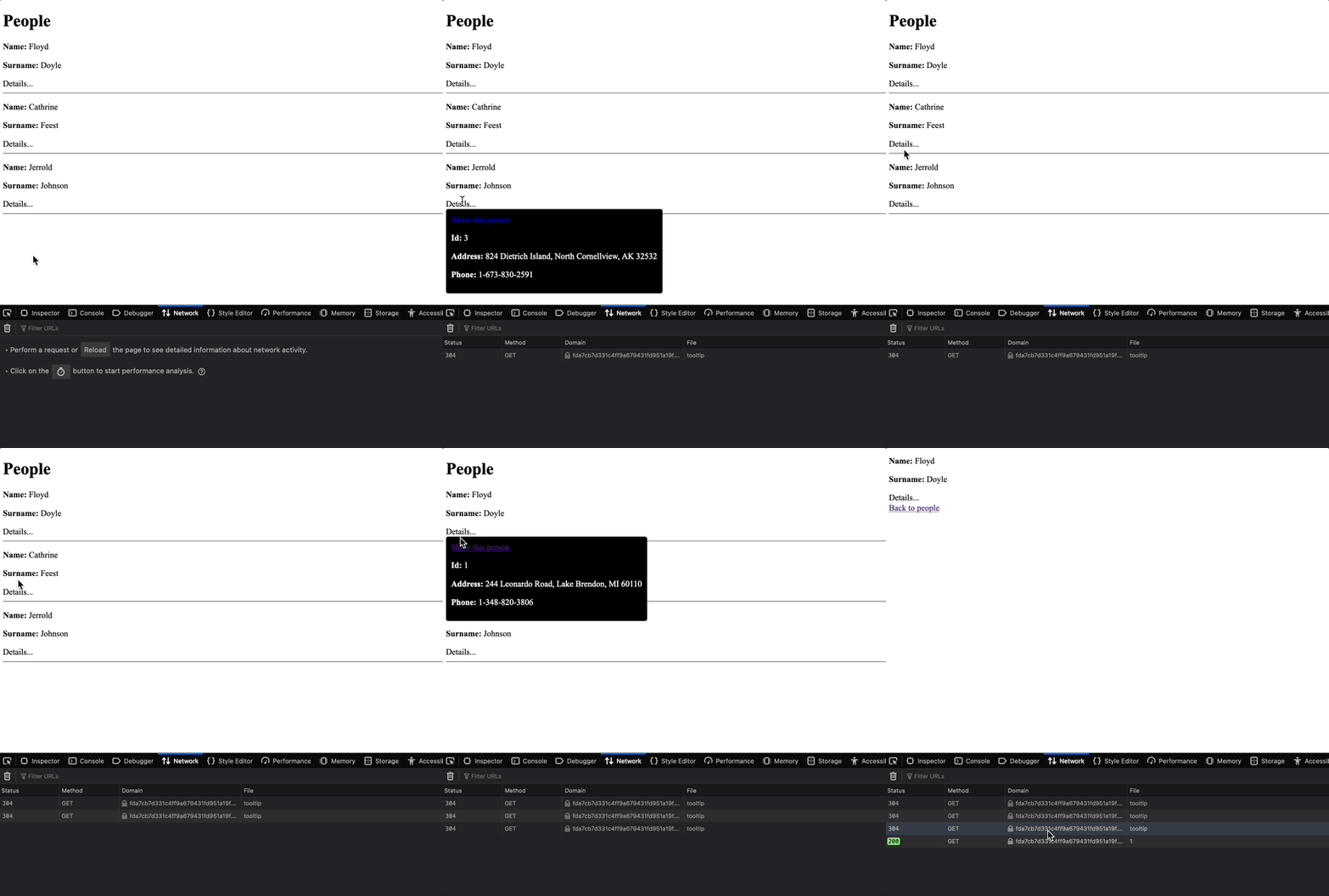
* A `turbo_stream` with `loading: :lazy` is loaded only when it becomes **visible** on the screen.
* `role="button"`, `aria-describedby="id"`, `role="tooltip"` are just some fancy HTML tags that help the browser read your HTML in a better way. **You can do without them**.
```ruby
# app/views/people/_person.html.erb
Details...
<%= turbo_frame_tag dom_id(person, :hovercard), target: "_top", role: "tooltip", src: hovercard_person_path(person), loading: :lazy do %>
Loading...
<% end %>
```
Now, when you hover on `Details...`, the `` will become visible and will load the template `app/views/people/hovercard.html.erb`.
Final result:
That's it!
Inspired by [Steve Polio's post](https://thoughtbot.com/blog/hotwire-asynchronously-loaded-tooltips){:target="blank"}