---
title: "SVG in Rails. Gem inline_svg"
author: "Yaroslav Shmarov"
date: "2022-06-11"
canonical_url: "https://blog.superails.com/gem-inline-svg"
markdown_url: "https://blog.superails.com/gem-inline-svg.md"
description: "In some cases you don't want to use external SVG libraries like FontAwesome Instead, you might want to use your own SVGs."
tags: ["ruby-on-rails","inline_svg","svg"]
license: "GNU AGPL v3. Credit Yaroslav Shmarov and link the canonical URL."
video_url: "https://www.youtube.com/watch?v=HEDBhzlrhF8"
---
# SVG in Rails. Gem inline_svg
In some cases you don't want to use external SVG libraries like [FontAwesome](https://blog.superails.com/fontawesome-importmaps-rails7)
Instead, you might want to use your own SVGs.
You can import SVGs into your apps' assets folder:
```html
```
BTW, usually when I import an SVG, I:
* set `fill` to `currentColor`
* width/height in `em` instead of `px`
* remove `style` and `class` attributes
```diff
-fill="#FFFFFF"
+fill="currentColor"
```
```diff
-width="16px" height="16px"
+width="1em" height="1em"
```
The final SVG that is ready to be used in the app will look like this:
```html
```
To display the SVG, you can try to use `image_tag` and render the SVG as an **image**:
```ruby
<%= image_tag "svg/search.svg", style: "color: green; background-color: red; height: 50px; width: 20px;" %>
<%= image_tag "svg/search2.svg", style: "color: green; background-color: red; height: 50px; width: 20px;" %>
<%= image_tag "svg/search2.svg", style: "color: green; background-color: red; font-size: 40px;" %>
```
And here we see the **problem**: we can't style the SVGs with CSS `class` & `style`:
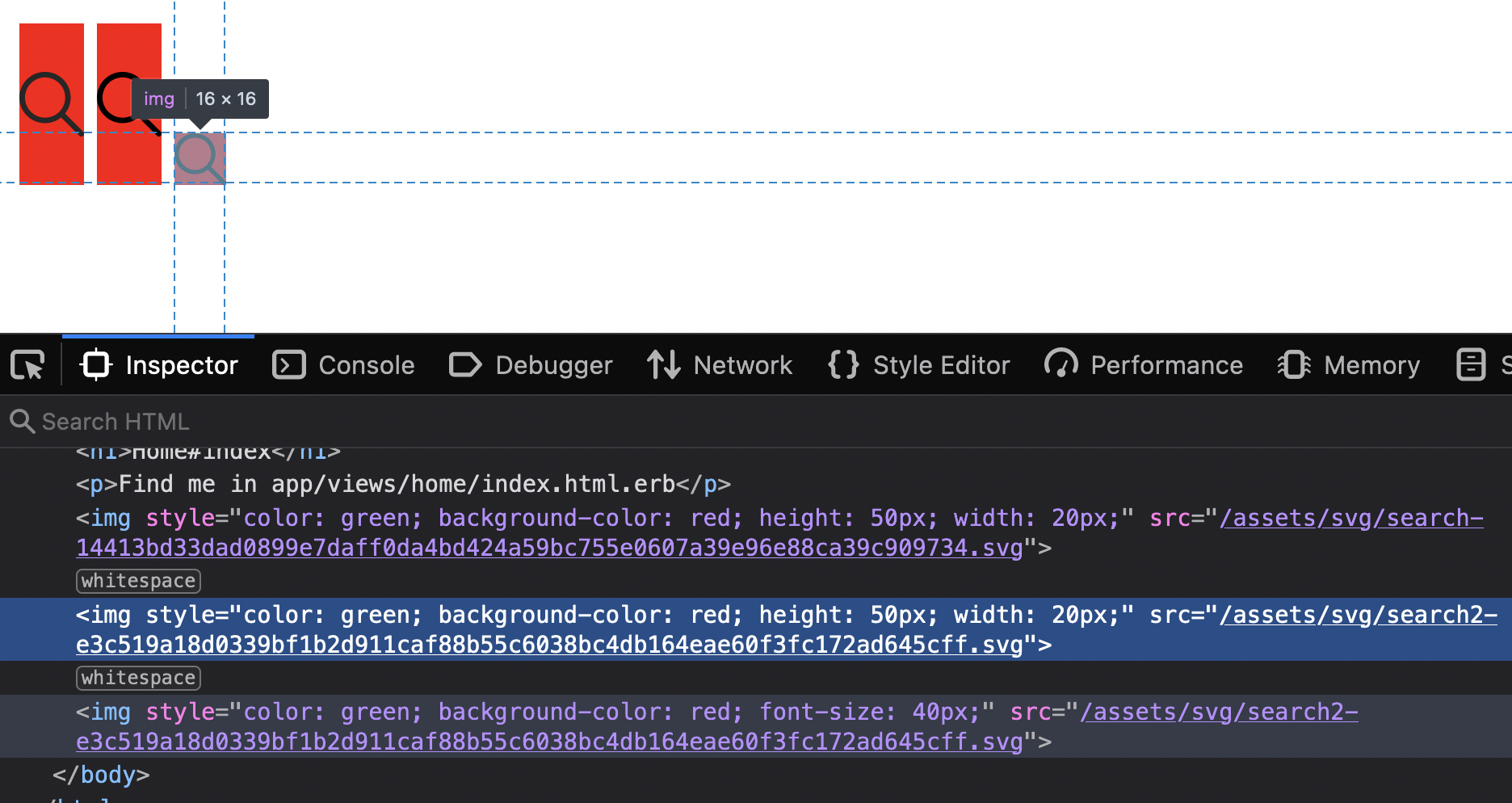
To overcome this issue, we can use a helper that will parse an SVG, add html options and render it in html:
```ruby
# app/helpers/svg_helper.rb
module SvgHelper
def svg_tag(icon_name, options={})
file = File.read(Rails.root.join('app', 'assets', 'images', 'svg', "#{icon_name}.svg"))
doc = Nokogiri::HTML::DocumentFragment.parse file
svg = doc.at_css 'svg'
options.each {|attr, value| svg[attr.to_s] = value}
doc.to_html.html_safe
end
end
```
```ruby
<%= svg_tag 'search', style: "color: green; background-color: red; height: 50px; width: 20px;" %>
<%= svg_tag 'search2', style: "color: green; background-color: red; height: 50px; width: 20px;" %>
<%= svg_tag 'search2', style: "color: green; background-color: red; font-size: 40px;" %>
```
Now you see that the SVG was **correctly** rendered as an SVG in HTML:
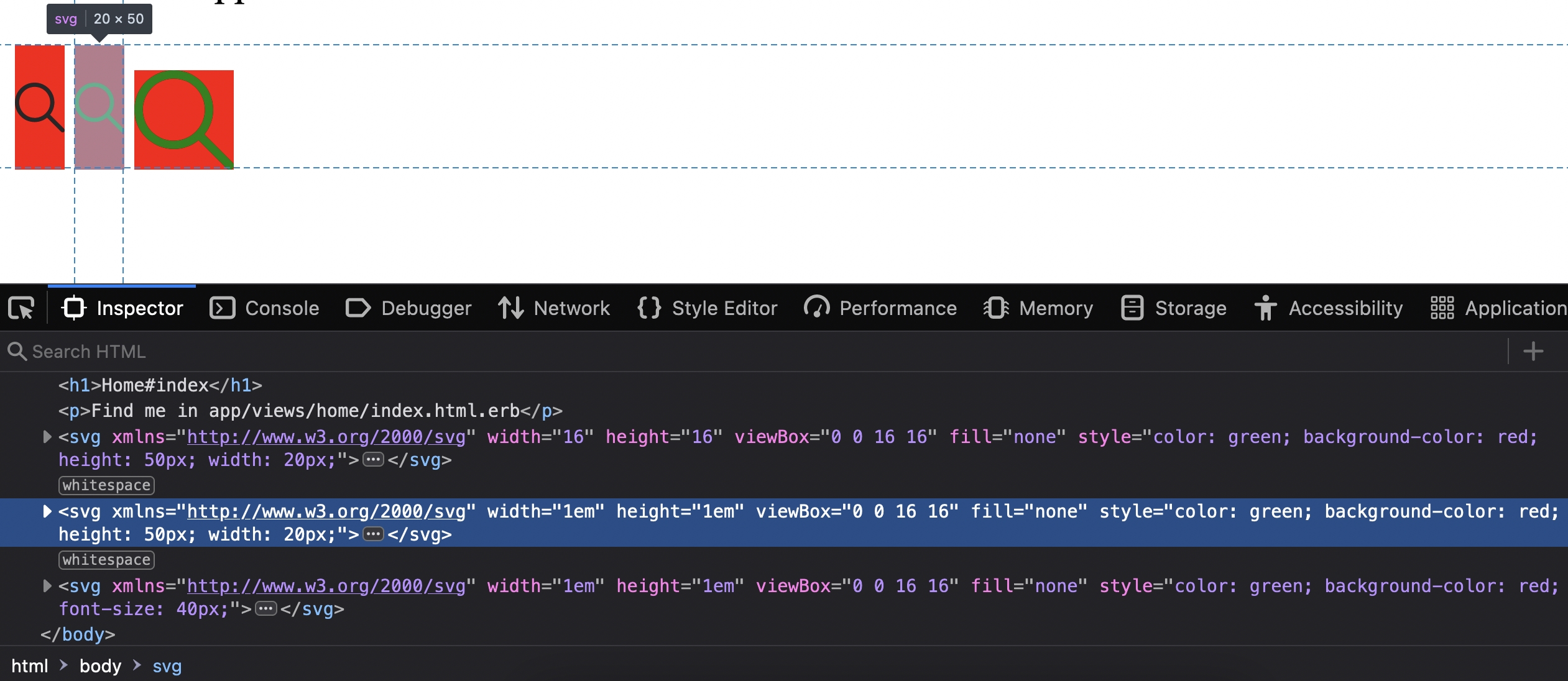
Finally, instead of writing custom SVG helpers and "reinventing the wheel", you can use an out-of-the-box solution: [`gem inline_svg`](https://github.com/jamesmartin/inline_svg)
```shell
# terminal
bundle add inline_svg
```
```ruby
<%= inline_svg_tag 'svg/search', style: "color: green; background-color: red; height: 50px; width: 20px;" %>
<%= inline_svg_tag 'svg/search2', style: "color: green; background-color: red; height: 50px; width: 20px;" %>
<%= inline_svg_tag 'svg/search2', style: "color: green; background-color: red; font-size: 40px;" %>
```
### Best approach: style SVG fill and stroke
Don't be afraid to edit SVG params. This is normal CODE!
Import an SVG and delete `fill`, `stroke`, `class` attributes:
```diff
-